

Turning a CheapFAST Word file into a sheet the press can hold
Answer first: drop a DOC or DOCX. Pick PDF or JPG. Convert once for free. Look at every page at 100 percent. If the result is the file you want to print, download it. If you need more converts, place a CheapFAST order and unlock with that order number. The banner on this page tells you when the free try is used.
What Word gets wrong for print
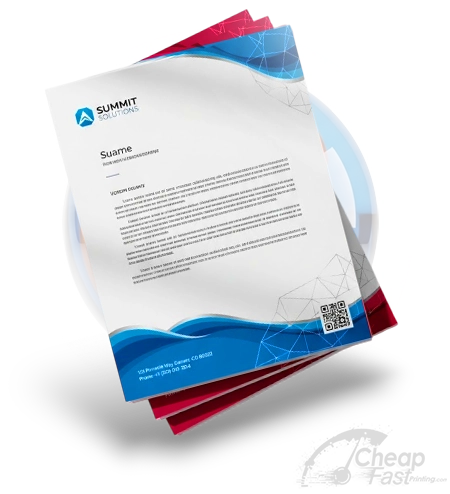
Word thinks in margins, not bleed. A letter that looks perfect on Letter paper still has no extra eighth inch for the blade. After convert, open the CheapFAST letterhead or flyer guideline and place the PDF. Extend backgrounds. Keep the date and phone inside the cyan box.
A Pompano HOA often sends a Word newsletter with a header image pulled from email. Convert will keep the layout more honestly than a screenshot. It will not add bleed. Uncrop can grow a photo. It cannot invent a missing legal footer you deleted.
One free try, then a paid unlock
This is the heavy gate. Artwork enhancer, grammar, uncrop, and QR do not share it. We say that so nobody thinks the whole hub is a paywall. Server minutes on Word and PowerPoint are the expensive ones.
After you have a PDF, quote the matching product. Color copies on 24 lb bond. Flyers on 100 lb gloss book. Letterhead on the stock the form actually lists. Ground shipping stays inside those totals. Call (855) 608-5536 if Word used a custom page size the form does not sell.
What one free try is for
It is for seeing whether our engine keeps your heading sizes, your photo placement, and your page count. It is not for converting a 40-page employee handbook every morning. After the free try, place a CheapFAST order. The banner accepts that order number. Grammar Check remains free. This convert does not.
A 33140 dentist sent a Word patient flier with a header logo and a footer HIPAA line. Convert kept both. The PDF still had half-inch Word margins. We placed it on the flyer guideline, extended the teal header to bleed, and moved the HIPAA line up into cyan. That extra step is the difference between a convert and a print file.
Fonts, images, and comments
Delete comment bubbles before you convert. They can rasterize as yellow tiles. Flatten or embed fonts. If a photo is linked and missing, the engine cannot invent it. Pack the DOC with images inside the file.
Legal size Word docs become legal size PDFs. If the CheapFAST form sells Letter, do not assume we will trim Legal in silence. Tell us, or rebuild on 8.5 x 11. Custom Orders exists for the odd page.
After the PDF lands
Run Grammar Check on the words if you have not. Scan QRs if any sit on the page. Uncrop photos that stop at the trim. Then quote color copies on 24 lb bond or flyers on 100 lb book. Ground is already in those totals. Call (855) 608-5536 if the convert shifted a table across a fold you care about.
Page size, columns, and headers
Word headers that repeat on every page become print on every page. That is good for letterhead. That is bad for a flyer you meant to be one side. Remove the header if it should not be ink. Section breaks can become extra blank pages. Delete them before you convert.
Columns in Word often collapse on convert if the file is messy. Look at every page. If a price column jumped under a photo, fix it in Word and convert the free try again only if you still have it. After the gate, unlock and convert the fixed file once.
A Hialeah HOA converted a three column newsletter. The middle column slid. They rebuilt on the CheapFAST 11 x 17 poster sheet as a single poster instead of fighting Word. That was the right fork. Custom Orders would have been the other fork if they needed a size we do not sell.
Keep a copy of the DOC. If the PDF is perfect, archive both. If we ask for an edit, the DOC is faster than rebuilding from a flat PDF. Call (855) 608-5536 if a convert timeout ate the free try without a file. We can see the banner state from the order side after you buy.
Tables, letterhead, and the fold you cannot see in Word
A table that fits on a laptop can overflow a letter sheet after convert. Look at the right edge. If a price is cut, shrink the table in Word. A letterhead file should use the CheapFAST letterhead guideline after convert, not a Word margin that only looks centered on your monitor.
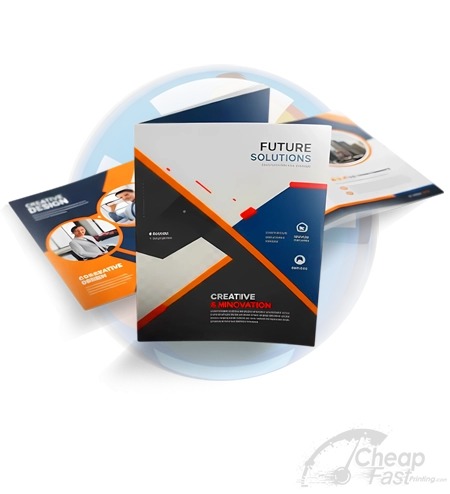
If you plan to fold, convert first, then place on the brochure sheet that shows the panels. Word will not draw those panels for you. A Hialeah caterer learned that when a price landed in the fold. The free try showed it. They fixed the DOC, unlocked with a flyer order, and converted once more.
Call (855) 608-5536 if the download button never appears after a finished bar. Save the status text. Ground on the later print order still sits inside the packed total. This convert never added a ship line of its own.
Questions we answer on this bench
Why is there only one free convert?
Word conversion uses a real print engine. One free try lets you see quality. A paid CheapFAST order number unlocks more. Grammar Check and QR scan do not use that gate.
Will my fonts travel?
If the font is installed on the conversion worker, yes. If you used a home font nobody else has, letters can shift. Outline text in a design app or embed fonts in the DOC before you convert.
Can I send the Word file as the final upload?
Do not. Convert or export a PDF with bleed. A Word file on a 3.5 x 2 card is how names kiss the cut.
Last reviewed 11 September 2026. Phone (855) 608-5536. Email support@cheapfastprinting.com. Ground shipping stays inside the print price. The live form to ZIP 33140 wins if a chip changes.