


Adding CheapFAST bleed without inventing a new picture
Answer first: drop the image or PDF page. Choose Print bleed when the next step is a CheapFAST order. Choose Expand canvas when you only need more room around a photo. Run the local uncrop. Download and place the result on the matching guideline. Hide the guide lines before you export.
Why we talk about rings
Magenta, cyan, and black rings on the sample sheet are not decoration. Cyan is the safe box. Magenta is the trim. Black is the bleed. If your navy field stops at magenta, a slight shift shows a white hairline. Uncrop exists so the navy can reach black without you redrawing the whole card.
A Hialeah florist often sends a square Instagram crop for a 4 x 6 postcard. Expand canvas can grow the sides. It will not invent flowers that were never shot. Better to keep the original ratio and letterbox than to stretch petals.
Local first
Customer clicks stay on the free local engine so the page stays up. If you need a generative sky fill, email support@cheapfastprinting.com and say so. That is staff time, not this button. Grammar, QR, and enhance are different tools. Do not drop a novel into Uncrop.
After the border exists, quote the product. Vinyl banners, cards, flyers. Ground stays inside the print price. The yellow FREE tag does not move when you type 33140.
Two workflows, two honest outcomes
Print bleed is for a file that will be trimmed. You want extra background, not extra story. Expand canvas is for a photo that will sit on a larger sheet with bands. Keep the subject. Do not ask this page to imagine a second building to the left of a storefront.
The featured card sample uses a 0.05 inch extra, 3.6 x 2.1 with bleed. Many flyers and banners use a full eighth inch. Vinyl in feet is a different math. Read the sheet. If you uncrop to the wrong number, the rings will not match and the blade will still find a white edge.
Local pixels versus staff AI
Local uncrop repeats and reflects edge pixels. That looks correct on a solid navy card field. It looks like a smear on a face at the edge. If a cheek is already cut, do not uncrop the cheek. Get another photo. Staff AI extend is a request, not this default button.
A Pompano food truck sent a square menu photo for a 4 x 6 postcard. We expanded canvas, letterboxed, and kept the tacos circular. Stretching would have made the logo oval. That would have failed visual inspect.
After the border exists
Place the file on the CheapFAST guideline. Confirm cyan still holds the name and QR. Confirm black is all ink. Hide rings. Quote. Ground stays inside the print price. Call (855) 608-5536 if you need an odd size uncrop that matches a Custom Order, not a catalog chip.
Banners, cards, and the wrong preset
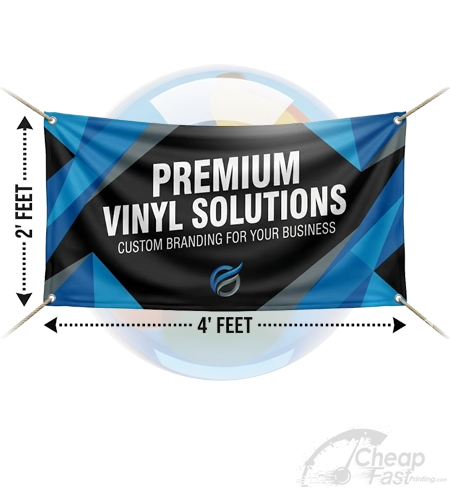
A vinyl banner in feet is not a business card in inches. If you uncrop a 2 x 4 foot art file with a card preset, the extra border will be meaningless on the pole. Download the vinyl sheet for that catalog size. 3x5 in the gallery size box is 3 foot by 5 foot, and the short-by-long landscape file is the other orientation. Read the filename after download.
Cards are cruel because the extra is small. The sample shows 3.6 x 2.1. If you add a giant border, the card becomes a postcard and the form price is wrong. Uncrop just enough to reach the black ring. Then place. Then hide rings.
A Pompano contractor uncropped a logo on white so far that the mark floated in a field. We put it back on the 3.5 x 2 sample with a navy field he actually wanted. The tool did the border. The human did the brand.
Cancel exists for a reason. If the preview looks like a smear, cancel. Clear. Try a tighter source crop. Call (855) 608-5536 if you need staff AI extend on a sky. That is not the local button.
PDFs with more than one page
Pick the page that needs the border. The carousel is there so you do not extend page 4 when the bleed problem is page 1. A booklet with a full-bleed cover and a white interior should only uncrop the cover. Interiors often want a margin, not bleed.
DPI on this tool should match the guideline you will place on. 300 is the everyday number. A banner in feet still wants clean edges more than a fake 600. Look at the geo readout after upload so you know what you started with.
A Pompano florist uncropped a bouquet until the petals smeared. They reverted and used expand canvas with letterbox instead. The postcard form still showed FREE ground to ZIP 33140. The tool did not change that money.
If the geo readout shows a square and you ordered a 4 x 6, you still have a die problem after the border exists. Uncrop cannot change a square into a 4 x 6 without bands or a crop. Choose the product that matches the photo, or shoot again. CheapFAST will not stretch tacos into ovals to fill a postcard.

Questions we answer on this bench
Is the free uncrop actually AI?
The public button is the local uncrop. It extends pixels you already have. Staff can run a heavier AI extend on request. The page will not pretend a customer click is a full generative fill.
Which bleed number should I pick?
Use the preset that matches the guideline for that product. The featured 3.5 x 2 card sample shows final 3.5 x 2 and bleed 3.6 x 2.1. Many flyers use a full eighth inch. Read the sheet you will download.
Can uncrop fix a cropped face?
It can add border. It should not invent a new ear or a new logo. If the face is already cut off, get a better photo.
Last reviewed 11 September 2026. Phone (855) 608-5536. Email support@cheapfastprinting.com. Ground shipping stays inside the print price. The live form to ZIP 33140 wins if a chip changes.