How to Make Your Flyers Stand Out: Design Tips That Drive
March 20, 2026
Post 27 of 50 · Design Excellence Pillar
How to Make Your Flyers Stand Out: Design Tips That Drive Response (2026)
The design principles, typography rules, color psychology, and layout strategies
that transform a forgettable flyer into one that stops attention, communicates instantly, and converts
readers into customers.
Most flyers fail before they are even read. They fail at the single critical moment when a human eye scans
the environment and decides — in approximately 0.3 seconds — whether a visual element deserves focus. The
flyer either passes this unconscious threshold test or it doesn’t. Everything else — the copy, the offer,
the contact details — is only ever seen by the fraction of people whose attention the design successfully
captured in that first moment.
This guide is about winning that first moment. All the principles below serve the same master goal: giving
your flyer the visual authority to stop attention, communicate the core message immediately, and drive a
specific action. These are not decorative suggestions — they are battle-tested design disciplines that
measurably improve flyer response rates across every industry.
The 6 Design Principles of Standout Flyers
01
⚡ Visual Dominance
One element must dominate the design at 50%+ visual weight — a striking
photo, a bold headline, or a powerful illustration. Without a dominant element, the eye has no entry
point.
02
🎯 Benefit-Led Headline
Your headline must answer “What’s in it for me?” not “Who are you?” in 5
words or fewer. “50% Off This Weekend Only” outperforms “Welcome to Smith’s Bakery” every time.
03
🧱 Visual Hierarchy
Guide the eye deliberately: Dominant → Secondary → Supporting → CTA.
Every size and weight difference communicates reading priority. Eliminate equal-weight elements that
create visual ambiguity.
04
🔤 2-Font Discipline
Maximum two font families per flyer: one display/headline font (bold,
personality-driven) and one body font (clean, highly readable). More fonts create visual chaos, not
character.
05
🎨 3-Color Maximum
Choose a primary brand color, a high-contrast accent, and a neutral
background. Beyond three distinct colors, visual complexity undermines message clarity and brand
coherence.
06
☎️ Single Clear CTA
One call-to-action only. “Call, Visit, Scan, or Email Us” is not a
call-to-action — it is a list. Identify the single most valuable action and design the entire flyer
to drive it.
📊 Flyer Headline Strength Analyzer
Type your headline below and get an instant analysis of its stopping power, benefit
clarity, and word efficiency.
Flyer Design Quality Checklist (Click to Mark Complete)
0 of 10 complete
✓
Benefit-led headline at 36pt+ that communicates the core offer
in 5 words or fewer
✓
Dominant visual (high-quality 300 DPI photo or illustration)
at 40%+ of total design space
✓
Maximum two fonts used across the entire design — display font
for headlines, clean font for body
✓
Maximum three colors — primary brand color, accent, neutral
background
✓
Single, specific call-to-action with a phone number, URL, QR
code, or address
✓
Adequate white space — no element is pushed right to the
design edge; breathing room enabled
✓
File is in CMYK color mode at 300 DPI with 0.125″ bleed and
safe zone maintained
✓
QR code included that links to a specific landing page
relevant to the offer (tested on mobile)
✓
Contact info visible — phone, address, or URL at readable size
(12pt minimum) in safe zone
✓
Proofreading complete — all text checked for spelling, correct
phone number, accurate dates
Typography is the invisible architecture of your flyer. When it works, readers navigate your content
effortlessly and arrive at your call-to-action having absorbed exactly the information you intended. When it
fails, readers abandon the flyer because their eyes don’t know where to start or how to progress through the
information.
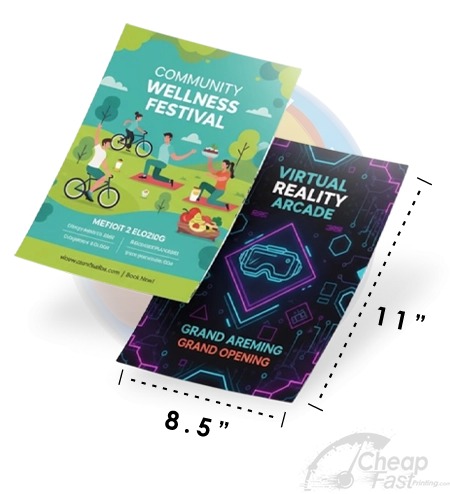
Headline: 48–72pt. Bold or black weight (900). Should be readable from 6 feet away on a
standard 8.5×11 flyer. This is your stopping power.
Subheading: 22–32pt. Semi-bold. Complements the headline with supporting information or
the secondary benefit.
Body Copy: 10–12pt minimum. Regular weight. Keep line lengths short (maximum 60
characters per line) for optimal reading comfort. Serif fonts aid reading of long body text on
large-format flyers.
Call-to-Action: 14–18pt. Bold. Contrasting color or enclosed in a button shape that
creates a visual stop signal for the eye.
The contrast ratio between your largest and smallest text elements is a key measure of typographic hierarchy
strength. A 72pt headline against 11pt body copy creates a 6.5:1 size ratio — strong hierarchy. A 24pt
headline against 18pt body copy creates only a 1.3:1 ratio — weak hierarchy that gives the eye no clear
reading path.
Color Psychology for Flyer Marketing
Color is the fastest communicator in design — before typography, before imagery, before layout, color
communicates tone. These associations are deeply ingrained:
Red: Urgency, energy, appetite stimulation, sale/deal associations. Best for: food,
retail promotions, emergency services, grand opening announcements.
Q1What makes a flyer stand out from the competition?
The most impactful flyers combine: a bold benefit-driven
headline, a dominant visual, and a clear single call-to-action. Flyers that try to communicate
everything communicate nothing.
Q2What is the most important element of a marketing flyer?
The headline. 80% of people who see a flyer read only the
headline. A compelling headline that immediately communicates the core benefit is the single
highest-impact design element.
Q3How many fonts should a flyer use?
No more than two font families — one for headlines and
display text, one for body copy. Using three or more fonts creates visual noise that competes
with your message.
Q4What colors work best for flyer design?
Colors should align with your brand identity. For maximum
visual impact, high-contrast combinations perform best. Use no more than three distinct colors —
beyond that, visual complexity reduces message clarity.
Q5How much white space should a flyer have?
More than inexperienced designers expect. Empty space is
not wasted — it directs attention to what matters. If your flyer looks crowded, it needs more
white space, not more content.
Q6What is visual hierarchy in flyer design?
Visual hierarchy arranges design elements by importance,
guiding the reader’s eye: dominant visual/headline → supporting subheading → key details → CTA.
Without hierarchy, the eye doesn’t know where to start.
Q7Should I use a photo or an illustration on my flyer?
Photos outperform illustrations for most commercial
flyers because they create immediate emotional realism — especially for food, real estate, and
events. Illustrations work better when the illustrated aesthetic is part of the brand identity.
Q8What call-to-action works best on a marketing flyer?
Specific, time-bound CTAs outperform vague ones. ‘Call
Now — Free Quote in 60 Seconds’ outperforms ‘Contact Us.’ Urgency + friction reduction = maximum
response rate.
Q9How do I make my flyer design less cluttered?
Ask: ‘What is the single most important action I want
this reader to take?’ Remove every element that doesn’t directly support that action. Reduce
text by 50%, enlarge the headline, increase photo size, add white space margins.
Q10What size should the headline text be on a flyer?
On a standard 8.5×11 flyer, the headline should be no
smaller than 36pt and ideally 48-72pt for maximum visual impact. On smaller formats, 28-36pt
maintains readability at typical viewing distance.
🔒 Secured by 256-Bit SSL | Data Protection Guaranteed | 10,000+ Happy Customers | A+ Rating