


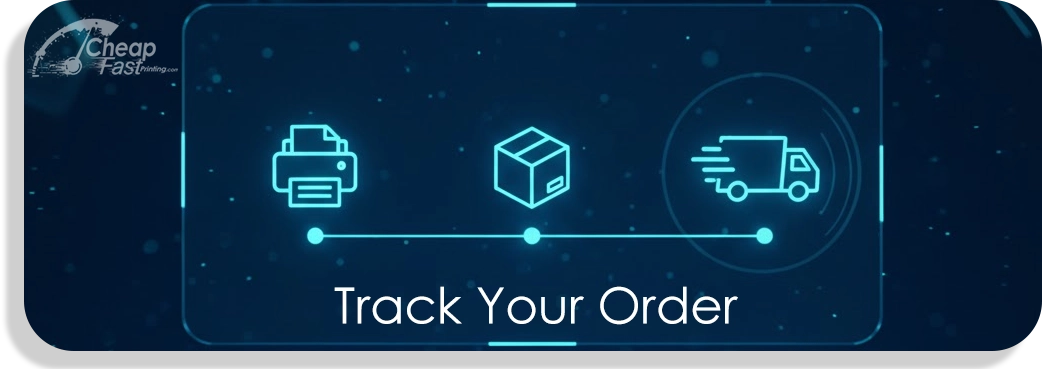
Track Your Order: Where Are My Prints?
Track order and shipment status for prints — quickly check progress from production to delivery. Enter an order number below or sign in to view live updates on printing, packing and shipment details.
By CheapFASTprinting Support — Updated Jan 31, 2026
Two Easy Ways to Track Your Order
Choose the lookup that fits: sign into your account for a complete history, or use the guest lookup form with a purchase reference and confirmation email to see progress for a single job.
- Sign in: View full purchase history, multiple jobs, and consolidated shipping updates.
- Guest lookup: Enter a purchase reference and the confirmation email on the form below to retrieve a single-job status.
Sign in for a full history
Signing in provides a dashboard view of all past and active jobs, estimated delivery windows, and downloadable invoices. Use this when you need a complete record.
Guest lookup (purchase reference + confirmation email)
No account required — the guest lookup returns live progress for a single purchase. You'll need the reference shown on your confirmation and the contact email used at checkout.
Understanding Order Status
Statuses indicate where an item is in the workflow. Common states include:
- Pending Approval — Files and proofs are under review; we wait for confirmation before printing.
- In Production — Printing, cutting, and finishing are in progress; estimated production time applies.
- Shipped — Package has left our facility and is with the carrier; tracking numbers are available.
If the record shows a carrier pickup, follow the carrier link for last-mile updates. If the parcel isn't moving or an estimated date changes, see the troubleshooting tips below before contacting support.
Troubleshooting & Common Questions
- Can't locate the reference? Check the purchase confirmation, receipt, or the order email from us. If you used a guest checkout, the confirmation contains the lookup ID.
- Tracking shows delayed transit — Carriers sometimes update status later in the day; allow 24–48 hours for final tracking details to appear.
- Missing or damaged items — If a shipment arrives incomplete or damaged, keep the packaging and photo the issue; we'll escalate with the carrier.
- Proofs and approvals — If a job is pending approval, production waits until the proof is approved; check your spam folder for proof messages or check the dashboard when signed in.
Need help from support?
If the troubleshooting tips don't resolve the issue, contact support with the lookup ID, the contact used at checkout, and a brief description of the problem. Email support@cheapfastprinting.com or use the help chat in your account dashboard for faster responses. Our team can research fulfillment logs and carrier status on your behalf.
FAQ — Quick answers
- How long until my job ships? Production times are shown on product pages; once printed, carrier transit depends on the selected shipping service.
- Can I change the delivery address? Contact support immediately; most changes must be made before the parcel leaves our facility.
- Where is the tracking link? It is emailed after handoff to the carrier and appears in the account dashboard or guest lookup results.
We continuously refine delivery windows and tracking reliability — thank you for choosing CheapFASTprinting. When in doubt, provide the lookup ID and we'll handle the rest.
Delivery Timelines & How We Update Status
Production and delivery follow several predictable stages. After proofs are approved, jobs enter the production queue; the time shown on product pages is the best estimate for printing and finishing. Once a package leaves our facility, we hand off tracking to the carrier and the shipment enters transit. Carrier updates may be delayed by a few hours as scans propagate through the carrier network.
We update status in three ways: (1) our internal fulfillment system updates the order record during production and packaging, (2) carrier scans push live tracking information once a shipment is created, and (3) support agents can add notes if there are manual holds or exceptions. If you prefer not to sign in, the guest lookup will show the same fulfillment milestones for the single purchase you query.
Privacy & Security
We only display details for purchases associated with the email or reference provided — this protects customer data and prevents unauthorized access. Email addresses and lookup references are used solely to return status information and are handled according to our privacy policy. If you need us to remove a lookup request, contact support and we will assist.
Final Notes & Call to Action
If you'd like real-time updates, sign in to enable notifications, or save the tracking link from your confirmation. For urgent questions, include the lookup ID and preferred contact method when you reach out — it helps us resolve issues faster. We aim to make it simple to track progress and get answers quickly.