Professionally designed for 8" x 10" flyers. Fully editable & free!
Preparing Templates…
Nonprofit flyers work best when the mission is clear, the impact is specific, and the next step is easy.
The 8x10 size gives you room for one story, one ask, and a bold QR code without clutter.
For fundraising, events, and awareness campaigns, economical nonprofit flyers printed as bulk nonprofit flyers keep outreach consistent across neighborhoods and partner locations.
Premium kraft stock adds a warm, trustworthy feel that fits community brands and makes your nonprofit handouts look intentional.
Lead with one campaign and one clear ask, such as donate, attend, volunteer, or sponsor. One focused message converts better than a long list.
When ordering 1000 nonprofit flyers, keep the layout stable so you can re-run the same design for future drives with only small updates.
On kraft paper flyers, use high-contrast text and short lines so the mission and CTA stay readable at a glance.


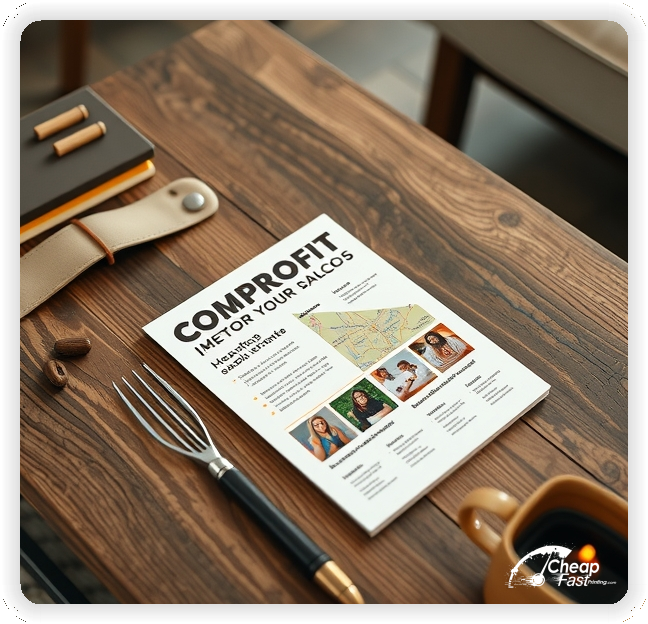


These pieces must communicate mission and trust quickly. Supporters respond best to a specific impact statement and a low-friction way to help.
This structure keeps nonprofit marketing materials focused while supporting fast decisions.
8x10 nonprofit flyers give you more room than smaller handouts while staying easy to post, stack, and distribute.
Use the top third for the mission and one impact line, the middle for the event or story, and the bottom for the CTA and contact details.
When you print custom nonprofit flyers in this size, the message stays readable on community boards and at partner locations.
Nonprofit outreach works best when the piece feels authentic and sturdy. Premium kraft stock has a warm tone that complements community missions.
For kraft paper flyers, keep color palettes simple and use strong contrast so key details remain readable.
Thicker stock also holds up better in lobby stacks, door-to-door distribution, and community boards.
A specific ask removes hesitation. Examples include “Donate $20 to fund one meal,” “Volunteer Saturday,” or “Attend the benefit event.”
Keep the ask line short and place details on the landing page so the flyer stays clean.
Clear asks improve response because supporters understand the next step.
Events must be easy to scan. Use one line each for date, time, location, and what to bring or expect.
If there are multiple times, list only the next date and send people to a schedule page for the full calendar.
Readable details are essential for nonprofit outreach because confusion lowers attendance.
Choose one campaign focus per flyer, such as a fundraiser, a volunteer drive, or an awareness event.
This keeps the message specific and helps supporters self-select quickly.
Focused positioning improves response and reduces missed donations due to unclear messaging.
Supporters want confidence their help matters. Include a short trust line such as years served, outcomes, partners, or local recognition.
Keep it brief and avoid long explanations. The landing page can provide full financial and program details.
A clear trust line near the CTA supports decision confidence without adding clutter.
Accessibility improves attendance. Add a short line about parking, entrances, or transit when the flyer promotes an event.
For outreach, include a short note on where materials are available, such as partner locations or a community table.
Clear access notes reduce last-minute questions and support higher turnout.
Donation options can be summarized in one line, such as “Monthly giving available” or “Sponsors welcome.”
Keep detailed terms on the landing page so the flyer stays easy to scan.
This approach keeps the message welcoming while still signaling transparency.
Events are strong for seasonal impact. Use a short callout for a benefit night, supply drive, or community workshop.
Keep details short and direct readers to a registration page for full information.
Event callouts add urgency while keeping the core mission visible.
Place flyers at libraries, cafes, community centers, schools, and partner businesses with permission.
Ask staff for the most visible spot and refresh placements when boards rotate.
Consistent placement supports awareness and brings steady donations, sign-ups, and event attendance.
Each flyer should lead to one action. A QR code to a short donation, RSVP, or volunteer page reduces friction.
Keep the landing page focused on the mission, the ask, and a simple form.
This flow converts better than long pages because it keeps the decision path clear.
Interest rises during year-end giving, back-to-school, disaster relief moments, and local event seasons.
Plan a primary run for each peak season and a smaller follow-up run to keep momentum.
When timing matters, quick turnarounds help you respond without missing the moment.
Match the flyer headline and ask to the landing page to reduce confusion.
Use the same campaign name, dates, and CTA everywhere.
Alignment across nonprofit marketing materials online and print improves response because supporters see one consistent message.
Test two calls to action with the same layout to identify the best response.
Change only the ask line and track QR scans or donations by placement.
Once a winner is clear, scale with economical nonprofit flyers to keep cost controlled.
For big pushes, bulk nonprofit flyers help keep the message consistent everywhere.
Organizations with multiple programs benefit from consistent templates and localized details.
Keep branding aligned while adjusting dates, locations, and partner names.
For broad campaigns, ordering 1000 nonprofit flyers per channel keeps coverage steady without production delays.
Consistent visuals help neighbors recognize the organization quickly.
New supporters need clear guidance. Use one line that explains what happens after they donate or sign up.
Keep text short and link to a full FAQ on the landing page.
This reduces uncertainty and supports higher follow-through.
Use language that reflects your mission, such as hopeful, community-focused, urgent, or supportive.
Keep tone consistent across the story and CTA so the piece feels cohesive.
Aligned tone helps the flyer feel authentic and builds trust.
Use a short reminder line such as “monthly giving available” or “volunteer teams welcome.”
Do not add a long list of options. The goal is to encourage ongoing involvement.
Retention messaging supports steady support without overshadowing the primary campaign.
Safety and privacy matter in community work. If relevant, add one short line about confidentiality, accessibility, or respectful spaces.
Keep it brief and place it near the trust line.
Short notes support participation decisions without requiring a long policy list.
Nonprofits stand out through community impact. One short line about local roots or who you serve builds connection.
Keep it to one line and let the landing page tell the deeper story.
This creates belonging without adding heavy copy to the flyer.
Supporters judge credibility fast. Clean printing and sturdy stock make the organization feel reliable and established.
When the piece looks polished, it reduces skepticism and increases follow-through.
High-quality print also helps a simple design look intentional rather than sparse.
Many supporters discover organizations through neighborhood boards or partner businesses. A clear flyer supports discovery when digital outreach misses local foot traffic.
For consistent local coverage, plan bulk nonprofit flyers distribution across weeks.
This supports awareness while the donation or sign-up page captures the action.
Use a supportive CTA such as “Donate now,” “Join the volunteer team,” or “RSVP today.”
Keep the CTA short and place it near the QR code so the next step is visible.
Clear CTAs help readers decide quickly and support higher response rates.
Spacing matters in nonprofit messaging. Use generous margins around the story and CTA.
Keep text blocks short and separate them with simple dividers.
A balanced layout keeps attention on the mission and makes the piece feel trustworthy.
If you offer multiple programs, mention only one secondary option such as “resources available” or “free workshops offered.”
Keep details on the landing page so the flyer stays focused on the primary campaign.
This supports depth without crowding the main ask.
Corporate support can be a growth channel. A short line about sponsorship opportunities signals a business-friendly option.
Use a brief callout and direct inquiries to a dedicated contact form.
This adds a partnership path without crowding the primary ask.
If volunteers need training, include one short line about orientation dates or onboarding steps.
Keep full details on a separate landing page and let the flyer serve as the invitation.
This adds clarity and sets expectations without heavy copy.
If events fill quickly, mention limited capacity and recommend registering ahead.
Use a short line such as “RSVP recommended” or “limited spots available.”
This sets expectations and helps reduce day-of confusion.
If you need specific items, list three to five essentials and direct readers to a full list online.
Keep the focus on the primary ask and use supply needs as a secondary detail.
This supports in-kind giving without shifting the main message away from the campaign.
Matching gifts and pledges can boost results. Use a short line such as “Matching gift available” or “monthly giving makes a bigger impact.”
Keep details on the landing page to preserve flyer clarity.
Commitment messaging can improve long-term support.
New supporters often want to know what happens next. A short line about check-in, dress code, or what to bring can reduce anxiety for events.
Keep guidance brief and place it near the CTA so it reads as part of the participation flow.
This small detail supports higher attendance and fewer no-shows.
Inclusive language helps more people participate. A short note such as “all are welcome” or “ADA accessible” removes barriers.
Keep the note short and avoid long explanations on the flyer.
Clear accessibility messaging supports stronger turnout and community trust.
Flyers work best when they create one clear path from interest to action. A clear headline, a short impact line, and one ask are enough.
When the layout stays focused, nonprofit flyers printing supports real outcomes without heavy copy.
Pair print with a short landing page and keep the message aligned for a consistent experience.
Your flyer has about 3 seconds to earn attention before it's ignored or kept. Lead with the mission and one clear ask. Make the headline and CTA readable from arm's length with strong contrast and simple typography.
Target the Right Locations: Results depend on placement. Distribute near community hubs and partner businesses where supporters already visit, then repeat the same route for consistent exposure.
Most supporters do not donate or sign up the moment they touch a flyer. They notice, they remember, and they act later when they have time. Plan distribution like a routine instead of a single drop. Pick two to four tight neighborhoods, repeat every two to three weeks, and keep the headline consistent so recognition builds.
Pair one primary route with two supporting placements. A counter stack at a partner business, a community board, or an event table creates extra touches. Use the same ask across all placements and track results with distinct QR destinations. When you know what works, you can scale the route and stop printing nonprofit handouts that are not producing donations or sign-ups.
Your flyer has about 3 seconds to earn attention. Lead with the mission and a single clear ask, then make the QR code and short URL impossible to miss.
Target the Right Communities: Distribution matters as much as design. Focus on partner locations and community hubs, then repeat the route so recognition builds.
Upload artwork and keep the focus on one mission message and one clear ask for custom nonprofit flyers.
Proofing checks contrast, trimming, and spacing so your mission and CTA stay clear.
Proof review also confirms the QR destination and contact lines so the flyer works without errors.
Confirm that the donation, RSVP, or volunteer page loads quickly on mobile.
Verify that your key ask is readable at arm’s length.
Check that the QR code scans reliably from a typical phone distance.
Confirm that short URLs and phone numbers do not wrap on narrow layouts.
Use the 8x10 template to keep margins consistent and reserve space for the mission, story, and CTA blocks.
Templates protect spacing so updates do not break alignment.
Consistent grids keep contact details visible after trimming and support quick approvals.
A stable layout helps staff refresh dates and asks without redesigning.
Templates also support multi-program updates with minimal edits.
They preserve alignment for QR placement and phone lines across every run.
They also keep headers aligned across seasonal campaigns cleanly.
Loading Free Editable Designs...
Please wait while we prepare the template library.
Focused layouts outperform crowded pieces because the mission and CTA stay visible.
Consistent templates reduce design time and keep messaging aligned across campaigns.
Compare response by donations, sign-ups, and event attendance rather than only print cost.
When the ask stays consistent, supporters recognize the campaign faster and act with less hesitation.
Tracking results by placement helps refine the next print cycle.
Review scan-to-action ratios to understand which locations perform best.
Use one clear headline, one offer, and one primary CTA (call, scan, or order). Add the essentials: phone, website/QR, service area, hours (if relevant), and a trust signal like years in business or a short review snippet.
Keep the layout scannable: one hero image or icon, short bullets, and high-contrast CTA text that’s readable at arm’s length.
Yes. 8" x 10" balances visibility and readability without feeling cramped. It gives enough space for a strong headline, a benefits list, and a CTA while staying easy to hand out or place on counters and boards.
Prioritize spacing and hierarchy over extra copy so the main message lands in 3–5 seconds.
18 pt. Premium Kraft with Gloss affects how the flyer feels and how colors read. Gloss tends to boost color and photos, matte reduces glare and feels more premium for text-heavy layouts, and uncoated is great for writing on.
If your design uses lots of fine text, choose clarity and contrast first; paper upgrades won’t fix a crowded layout.
1000 works well when you want consistent visibility across multiple placements (counters, boards, partner locations, events) over a few weeks. Bulk also lowers unit cost so you can test a message and keep the winner running.
Track performance, then reprint the best offer instead of changing everything at once.
If price is your main hook, feature one simple offer (“ off” or “Starting at ) and keep the fine print minimal. If you have variable pricing, use a short value statement and send details to a landing page.
A clean offer + simple CTA typically outperforms a long price list.
Use a QR code to a dedicated landing page and add UTM tags for each route or partner. Track scans, form fills, and calls to identify the placements that actually convert.
For non-QR audiences, include a short, memorable URL or a trackable phone extension.
Start where your customers already are: complementary businesses, community boards, local events, and targeted neighborhoods. Ask partners for the most visible spot and refresh before your flyer gets buried.
Use a consistent route and restock winners; small, repeated placements usually beat one big drop.
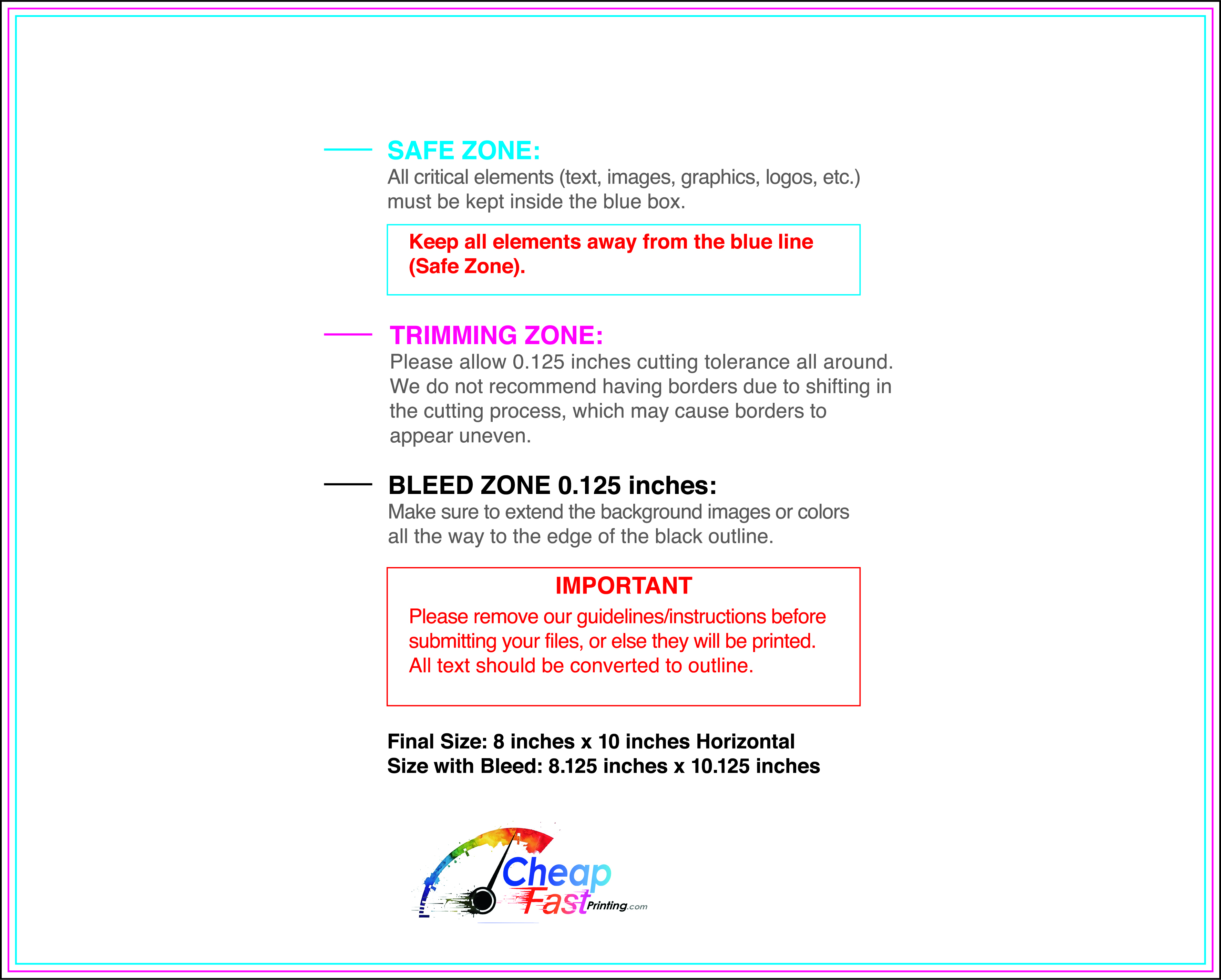
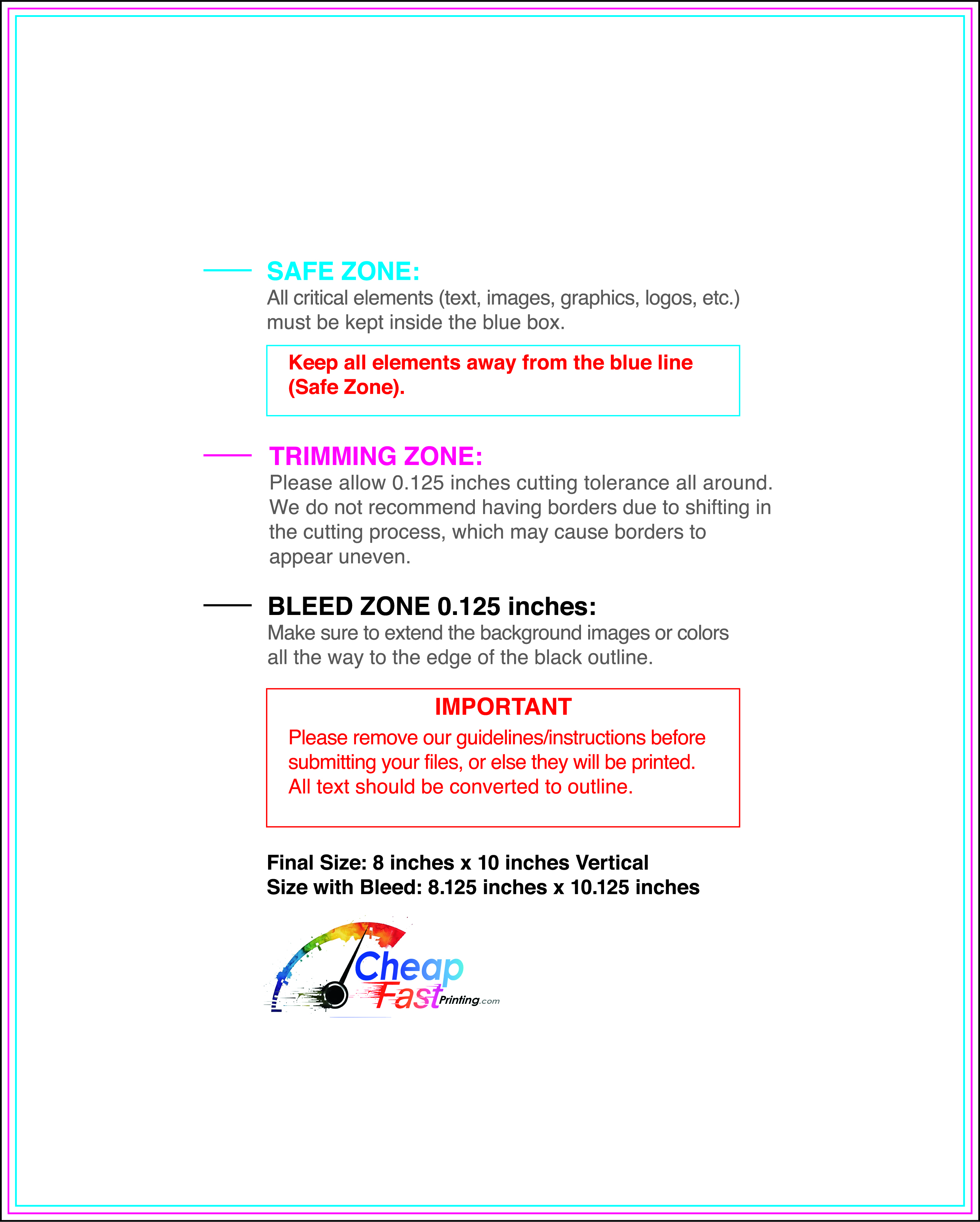
Submit a print-ready PDF (CMYK) at 300 DPI with 0.125" bleed and safe margins around important text. Keep thin lines above 0.5 pt and make QR codes at least ~0.8" square for reliable scanning.
Use vector logos when possible and limit your fonts to maintain a clean, professional look.
Request a proof so you can confirm spelling, margins, and QR/URL accuracy before production. Proofing is the easiest way to prevent expensive reprints.
Double-check phone numbers and offer terms first—those are the most common issues.
Match your flyer headline and offer to the landing page headline so visitors feel they’re in the right place. Keep the CTA consistent and make the page fast to load and easy to complete on mobile.
If you run ads, retarget QR visitors with the same offer to improve conversions.
Plan a steady supply for community boards, events, and partner locations. Short runs let you update dates and asks without waste.
Predictable timing supports stronger response and keeps the message current.
Track which locations drive the most QR scans and prioritize restocks there.
Use smaller top-up runs to match seasonal campaigns without redesigning the layout.
Balance weekly and monthly distribution to keep coverage consistent.
Use distribution logs to identify placements that perform well and retire low-response locations.
For budget-friendly scale, economical nonprofit flyers help keep outreach consistent.


