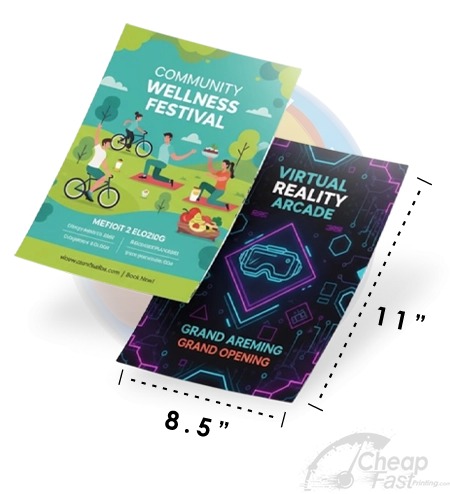
Whether you are a first-time business owner ordering flyers or a marketing manager specifying print deliverables for an agency, knowing the exact dimensions and file specifications for every standard flyer size is essential knowledge. Errors in size specification at the file creation stage — using RGB instead of CMYK, submitting at 72 DPI instead of 300, or forgetting bleed — are the leading causes of print delays, reprints, and wasted budgets.
This guide is your complete technical reference for every standard flyer format: the exact dimensions in both US inch and metric measurements, the file specification requirements for print-ready submission, the equivalent international size (A4, A5, A6), and the appropriate use case for each format.
All Standard Flyer Sizes — Blueprint Reference
// SELECT YOUR FLYER SIZE → GET COMPLETE FILE SETUP SPECS

US Sizes vs Metric (ISO A-Series) Explained
The United States uses a non-ISO paper size standard. American printers work with letter (8.5×11″), legal (8.5×14″), and tabloid (11×17″) as their primary formats, while most of the rest of the world uses the ISO A-series (A4, A5, A6). This creates frequent confusion for businesses that receive flyer files from international designers or who order from globally-oriented print templates.
The key differences:
- A4 (210×297mm / 8.27×11.69″) vs US Letter (8.5×11″): A4 is slightly narrower and taller. Letters designed for A4 will print on letter with minor white borders or minor clipping. Always resize to US letter before ordering from CheapFastPrinting.
- A5 (148×210mm / 5.83×8.27″) vs Half Sheet (5.5×8.5″): A5 is slightly wider and slightly shorter. For practical purposes interchangeable for most designs — just resize to 5.5×8.5.
- A6 (105×148mm / 4.13×5.83″) vs Quarter Sheet (4.25×5.5″): Very close in size. Convert to 4.25×5.5 or 4×6 for US printing.
Complete Print File Specification Table
| Flyer Size | Trim Size | File with Bleed | Safe Zone | DPI | Color Mode |
|---|---|---|---|---|---|
| Quarter Sheet | 4.25×5.5″ | 4.5×5.75″ | 4.0×5.25″ | 300 | CMYK |
| Postcard 4×6 | 4×6″ | 4.25×6.25″ | 3.75×5.75″ | 300 | CMYK |
| 5×7 Card | 5×7″ | 5.25×7.25″ | 4.75×6.75″ | 300 | CMYK |
| Half Sheet | 5.5×8.5″ | 5.75×8.75″ | 5.25×8.25″ | 300 | CMYK |
| Rack Card | 4×9″ | 4.25×9.25″ | 3.75×8.75″ | 300 | CMYK |
| 6×9 Card | 6×9″ | 6.25×9.25″ | 5.75×8.75″ | 300 | CMYK |
| Full Sheet | 8.5×11″ | 8.75×11.25″ | 8.25×10.75″ | 300 | CMYK |
| Legal Sheet | 8.5×14″ | 8.75×14.25″ | 8.25×13.75″ | 300 | CMYK |
DPI, Bleed, and Safe Zone: The Three Critical Rules
- 300 DPI / PPI Minimum: All raster images and the overall document must be at minimum 300 dots per inch at the final print size. Images sourced from websites are typically 72-96 DPI and will print blurry. Download high-resolution source files from your stock image provider and ensure they are at least 300 DPI at the actual print dimensions.
- 0.125″ Bleed on All Sides: Bleed is the extra strip of artwork beyond the final trim line that gets cut off during finishing. Without bleed, slight cutting variations leave white edges on certain sides. Always extend your background colors and images to the full bleed edge. Add 0.125″ (1/8 inch) to all four sides of your document dimensions to create the bleed margin.
- 0.125″ Safe Zone Inside Trim: Keep all critical content (text, logos, phone numbers, QR codes) at least 0.125″ inside the final trim line. Slight cutting variation during finishing could clip content that is placed right at the trim edge. Treat this inner margin as an absolute boundary for all important elements.
Browse 6 Standard-Size Flyer Formats