In a world where everyone seems tethered to screens, there’s still a powerful, undeniable need to hold a physical document. Whether it’s a last-minute presentation, a stack of flyers for a local event, or that cherished photo you finally want to see in print, the question isn’t just what to print, but where. Sure, you know about dedicated print shops, but what about the places you visit every week? Let’s talk about getting ups store color copies, navigating the color copies at walgreens kiosk, and figuring out the true cost of color copies at ups store compared to your neighborhood pharmacy.
For many, the local pharmacy or shipping center is the first stop in a printing pinch. It’s convenient, familiar, and feels like it should be straightforward. But is it the most cost-effective or quality-conscious choice for your project? This guide pulls back the curtain on these alternative printing hubs. We’ll compare services, peel back the pricing layers, and help you understand exactly what you’re getting when you step up to a pharmacy photo kiosk or a UPS Store counter. Our goal? To ensure you never overpay for underwhelming prints again, and to show you when these options are a perfect fit—and when you might want to leverage a more specialized provider for better results, faster speed, and yes, often a lower final price.
The UPS Store Color Copies: Documents vs. Shipping
When you think of The UPS Store, your mind likely jumps to boxes, tape, and shipping labels. That’s their world, and they dominate it. But walk into any location, and you’ll often see a printer humming in the background. This is because they’ve expanded into document services, offering ups color copies and more to serve the small business and busy individual who needs something printed now. It’s a logical extension: you’re there to ship a package, and oh, you need a document printed to go inside? They can handle both.
However, it’s crucial to understand their core model. Their primary business is shipping logistics. The printing services, while convenient, are often priced with the “urgent convenience” customer in mind. This isn’t a high-volume commercial print shop; it’s a retail solution. The quality is generally reliable for standard documents, but when you need specific paper stocks, precise color matching, or unusual sizes, you might hit a wall. They are your on-demand solution for a handful of color photo copies when you’re already in the store, but less ideal for bulk orders where cost-per-page becomes the defining factor.
Cost of Color Copies at UPS Store
Let’s get tactile with the numbers. The ups color copies cost can feel like a moving target because it varies by location and document complexity. On average, you can expect to pay between $0.60 to $0.95 per page for a standard letter-size color copy. For black and white, the price drops to about $0.15 to $0.30 per page.
Why such a range? A few factors play in. First, self-service kiosks are usually cheaper than counter service. Second, if you need assistance with file formatting, cropping, or special instructions, a service fee may apply. Third, and most importantly, the paper. Standard 20lb bond is the default, but if your project needs something heavier or with a finish, the price climbs. For a true apples-to-apples comparison, you must ask: “Is this the final, presentation-ready document, or a draft?” If it’s the former, that per-page cost for a 50-page report becomes significant very quickly.
It’s also worth noting that while they offer binding and folding, these are add-on services with their own fees. For a detailed look at their official service offerings and how they position themselves, you can review The UPS Store’s corporate printing page. This resource clearly shows their focus on convenience and small-scale solutions rather than wholesale production.
Pharmacy Printing: CVS Color Copies and Walgreens
Step into a CVS or Walgreens, and you’re surrounded by essentials: shampoo, snacks, prescriptions, and greeting cards. Tucked near the photo department, you’ll find the printing kiosk—a digital oasis promising cvs color copies and more. This service is a legacy of the one-hour photo era, evolved for the digital age. It’s incredibly accessible; there’s likely a location within a 10-minute drive of most people. But this accessibility comes with a specific design purpose.
Pharmacy printing infrastructure is optimized for photos. The machines, the paper stocks, the software workflows—they are built to produce 4×6, 5×7, and 8×10 glossy prints from your smartphone. When you ask them to produce a color copies cvs document, you are essentially routing a text-and-graphic file through a photo-printing process. This has direct implications for quality and cost.
Are Color Copies at Walgreens Just for Photos?
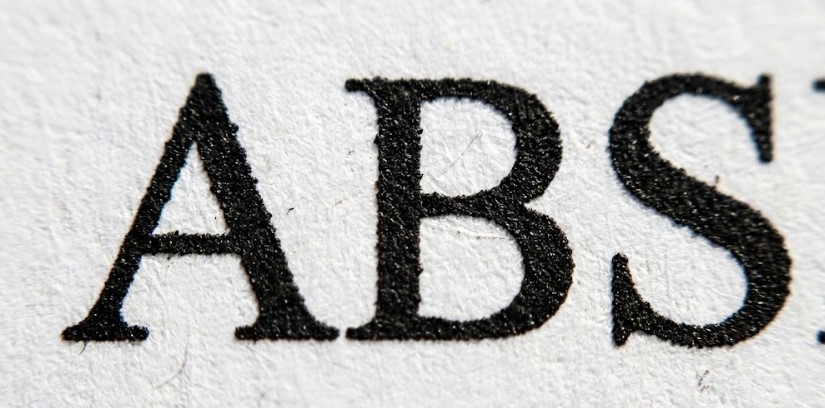
Mostly, yes. The color copies at walgreens service shines when you’re printing images. The color reproduction for photographs can be vibrant and satisfying for personal use. However, for text documents, the results can be less crisp. Photo printers often use a different printing technology (like dye-sublimation or inkjet) compared to the laser printers used in offices and dedicated print shops. Text edges might not be as sharp, and solid blocks of color might show slight banding.
Furthermore, your options are limited. You’re typically choosing from glossy or matte photo paper. Need a simple 20lb bond paper for a contract? That’s usually not on the menu. The pricing also follows a photo-centric model. You might pay $0.39 for a 4×6 photo, but an 8.5″x11″ sheet—which uses more material and ink—can cost $3.99 or more. For a single sheet, it’s no big deal. For 20 copies of a flyer, it becomes a very expensive choice.
CVS Color Copies: Pricing and Availability
The story at CVS is similar. CVS color copies pricing is structured around photo prints and enlargements. Using their self-service kiosk (which we recommend over counter service for cost control), you can upload documents and print them on photo paper. The cost for an 8.5″x11″ color “photo” print typically starts around $3.99. Some locations may offer a “document printing” mode at a slightly lower cost, but it’s not universally available or advertised.
Availability is another key point. Not every CVS or Walgreens has a functioning, staffed photo department anymore. You might find the kiosk, but if it’s out of paper, has a clogged print head, or the software is glitching, there may be no one on duty with the expertise to fix it. Your convenient option suddenly becomes a time sink.
Understanding Color Photo Copies vs. Documents
This is the heart of the matter. A photo copy in the traditional sense is a reproduction of an existing photograph. A document print is the output of a digital file containing text, vector graphics, and images. Pharmacy kiosks are designed for the first, but are often used for the second.
When you print a document on photo paper, you get a heavy, glossy sheet. The ink sits on top of the coated paper, which can feel premium, but it’s also prone to smudging if handled before fully drying and is not ideal for writing on with a pen. It’s also exponentially more expensive than standard document paper. For a school report or a business proposal, this is usually overkill and economically inefficient. The takeaway? Use pharmacy printing for what it’s built for: photos, photo gifts, and perhaps a single, stunning presentation cover page. For multi-page documents, look elsewhere.
Pros and Cons of Non-Traditional Print Centers
Let’s leverage a clear comparison to help you visualize the trade-offs. Here’s a breakdown of what these alternative centers offer, and where they might leave you wanting more.
The UPS Store – Pros:
- Dual-Purpose Convenience: Perfect for the “print-and-ship” workflow.
- Professional Staff Assistance: Someone can help you format and troubleshoot your file.
- Broader Services: Includes binding, folding, and stapling.
- Standard Paper Options: Usually offers a choice between bond paper and heavier stocks for documents.
The UPS Store – Cons:
- Higher Per-Page Cost: You pay a premium for the retail convenience model.
- Limited Production Capacity: Not set up for bulk orders; turnaround can slow down if they’re busy with shipping.
- Inconsistent Equipment: Print quality can vary from franchise to franchise.
Pharmacy (CVS/Walgreens) – Pros:
- Ubiquitous Locations: Open long hours, often seven days a week.
- Excellent for Photos: High-quality photo prints on glossy/matte paper.
- Instant Gratification: Often available in an hour or less via kiosk.
- No Minimums: Print just one sheet if that’s all you need.
Pharmacy (CVS/Walgreens) – Cons:
- Extremely High Cost for Documents: Pricing is based on photo prints, making documents prohibitively expensive.
- Paper Limitations: Almost exclusively photo paper; not suitable for standard documents.
- Poor Text Quality: Output can be fuzzy for small text.
- Unreliable Staff Support: The photo department is often minimally staffed or self-service only.
Final Recommendation
So, when should you seek out ups store color copies or venture into a pharmacy for printing? The answer lies in the specifics of your project.
Choose The UPS Store when: You need a small number of professional documents (think 1-20 pages) on standard paper, and you value the option for binding or finishing. It’s also your best bet if you need to combine printing with other business services like shipping, mailbox rental, or notary. The cost of color copies at ups store is justified for the convenience and assistance in these scenarios.
Choose CVS or Walgreens when: Your project is exclusively about printing photographs. For digitizing old family photos, creating a photo album, or printing a single high-quality image for framing, the pharmacy kiosk is a fantastic, accessible tool. Avoid it for text documents, flyers, or anything you need in quantity.
Look beyond both when: Your project involves volume (50+ copies), specific paper requirements (like 16pt cardstock for business cards, or 100lb text for brochures), or needs expert color calibration and design setup. This is where a dedicated, automated print partner like CheapFASTprinting.com changes the game. We leverage the same professional-grade machinery as big commercial shops, but with AI-driven design tools and an obsessive focus on efficiency that lets us offer free design setup and prices that often beat these retail convenience rates—even on rush orders.
Remember, the true cost of printing isn’t just the price per page. It’s the time spent troubleshooting at a kiosk, the disappointment of muted colors, and the frustration of overpaying for a product that doesn’t meet your needs. By understanding the landscape—from the color copies at walgreens photo kiosk to the ups color copies cost at the counter—you can make an informed, confident choice for your next print project.
External Authority Link for Context on Professional Printing: For a deeper understanding of the commercial printing technology and standards that dedicated print shops use, which differ significantly from retail kiosk printers, you can explore this resource on HowStuffWorks: How Laser Printing Works.